

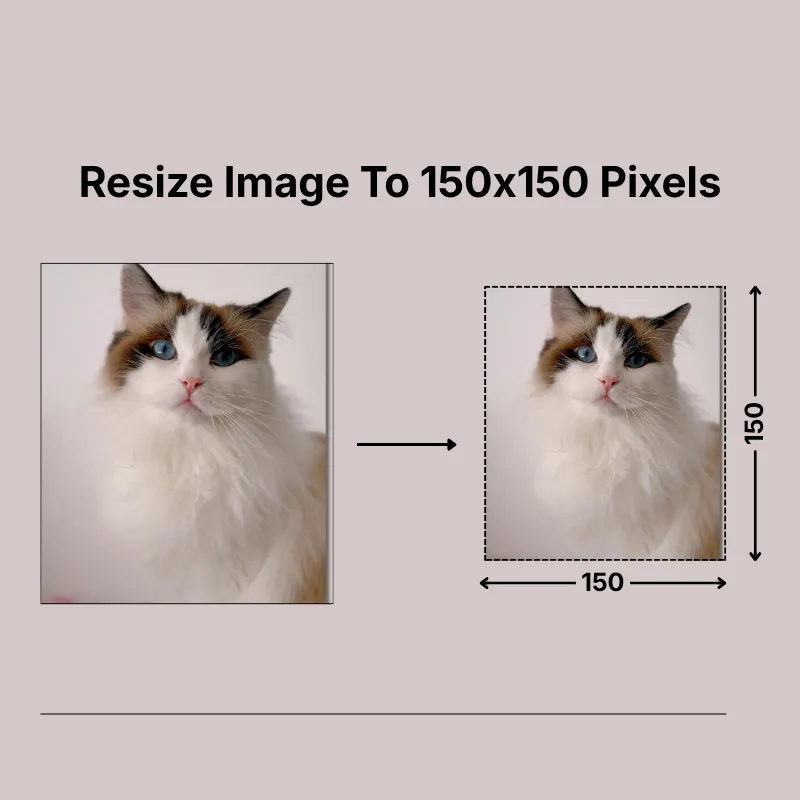
Create perfectly square 150 × 150 pixel images without manually calculating dimensions. This size is commonly used for profile photos, avatars, contact directories, website thumbnails, small product previews, application uploads, and icons. Simply upload your image, customize the settings if required, and download the resized version in seconds.
Keep your image looking natural with the built-in Lock Aspect Ratio option, which automatically maintains the original proportions while resizing. If your project requires a different result, choose Stretch for exact dimensions, Crop Fit to fill the square frame, or Fixed to keep the complete image visible with optional background padding. These options make it easy to resize almost any image.
Getting started is simple whether your image is stored on your computer or in the cloud. Upload files from your device, Google Drive, or Dropbox, or simply drag and drop them into the tool. Before downloading, rotate, flip, crop, zoom, or change the image shape without using additional editing software.
Control both image quality and DPI to match your intended use. Lower settings help reduce file size for websites and online sharing, while higher DPI values produce sharper printed results. You can also resize using pixels, inches, centimeters, or millimeters, making the tool suitable for both digital and print projects.
After resizing, save your image as JPG, JPEG, PNG, WEBP, or GIF. Whether you're preparing profile pictures, website graphics, logos, business directories, or digital artwork, selecting the appropriate format helps ensure better compatibility and visual quality across different platforms.
Resize images online without installing software or creating an account. Your files are processed securely, and the tool works smoothly on smartphones, tablets, laptops, and desktop computers through any modern web browser. Whether you're resizing one image or several throughout the day, you can use the tool anytime for free.
Other useful information
Explore our visual guides and infographics
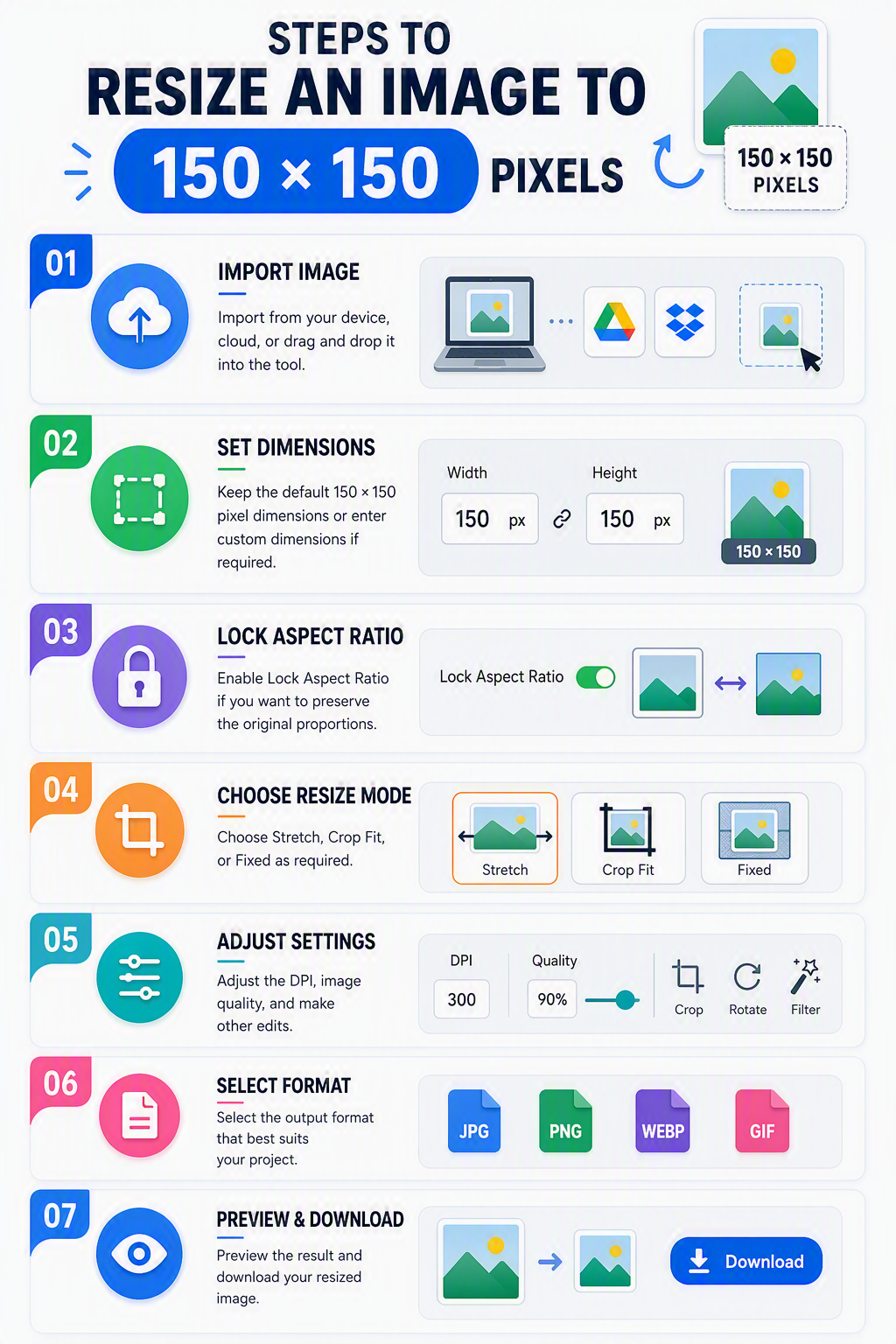
The infographic shows how to upload an image and resize it to 150 x 150 pixels.
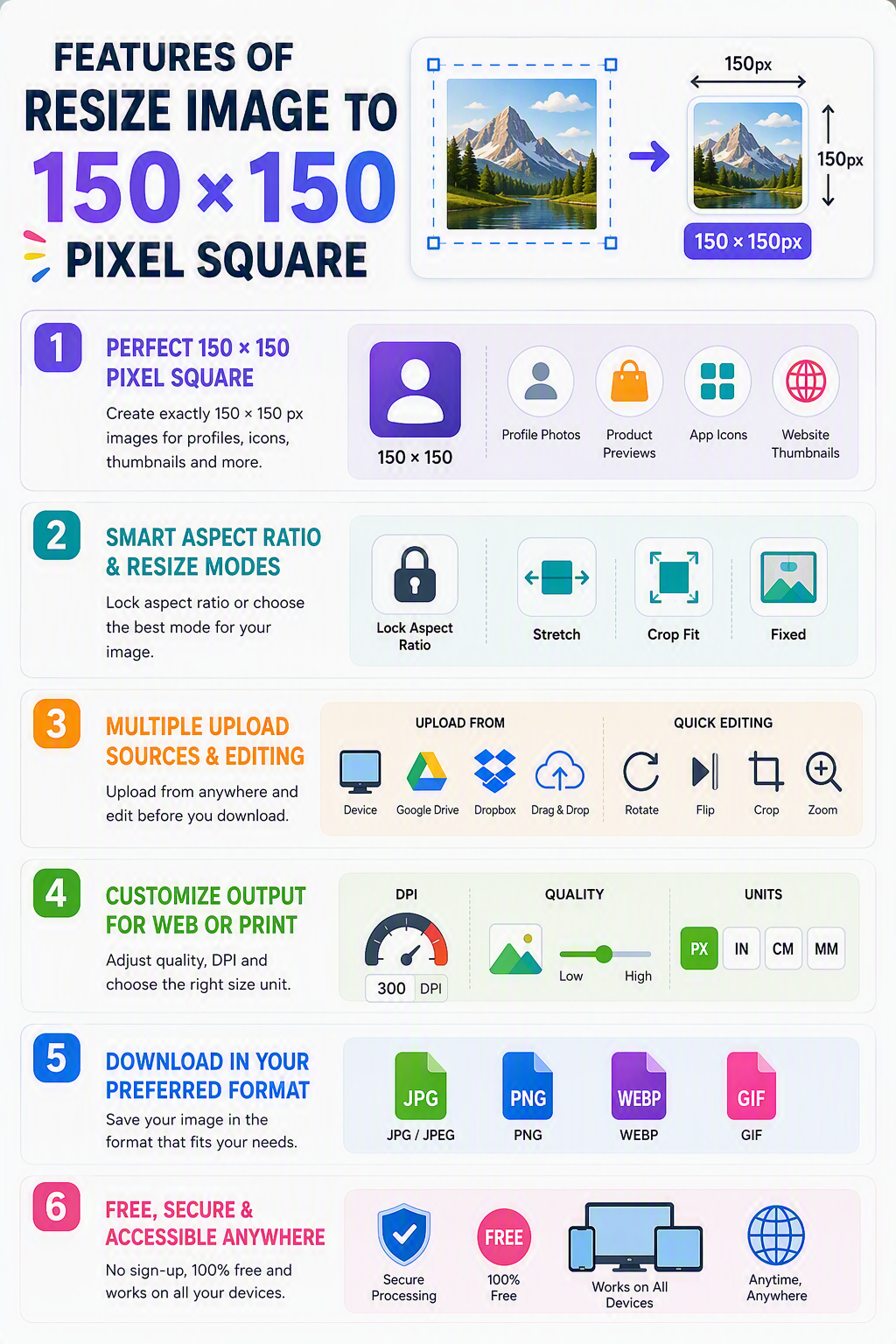
The infographic presents key features for resizing images to 150 × 150 pixels
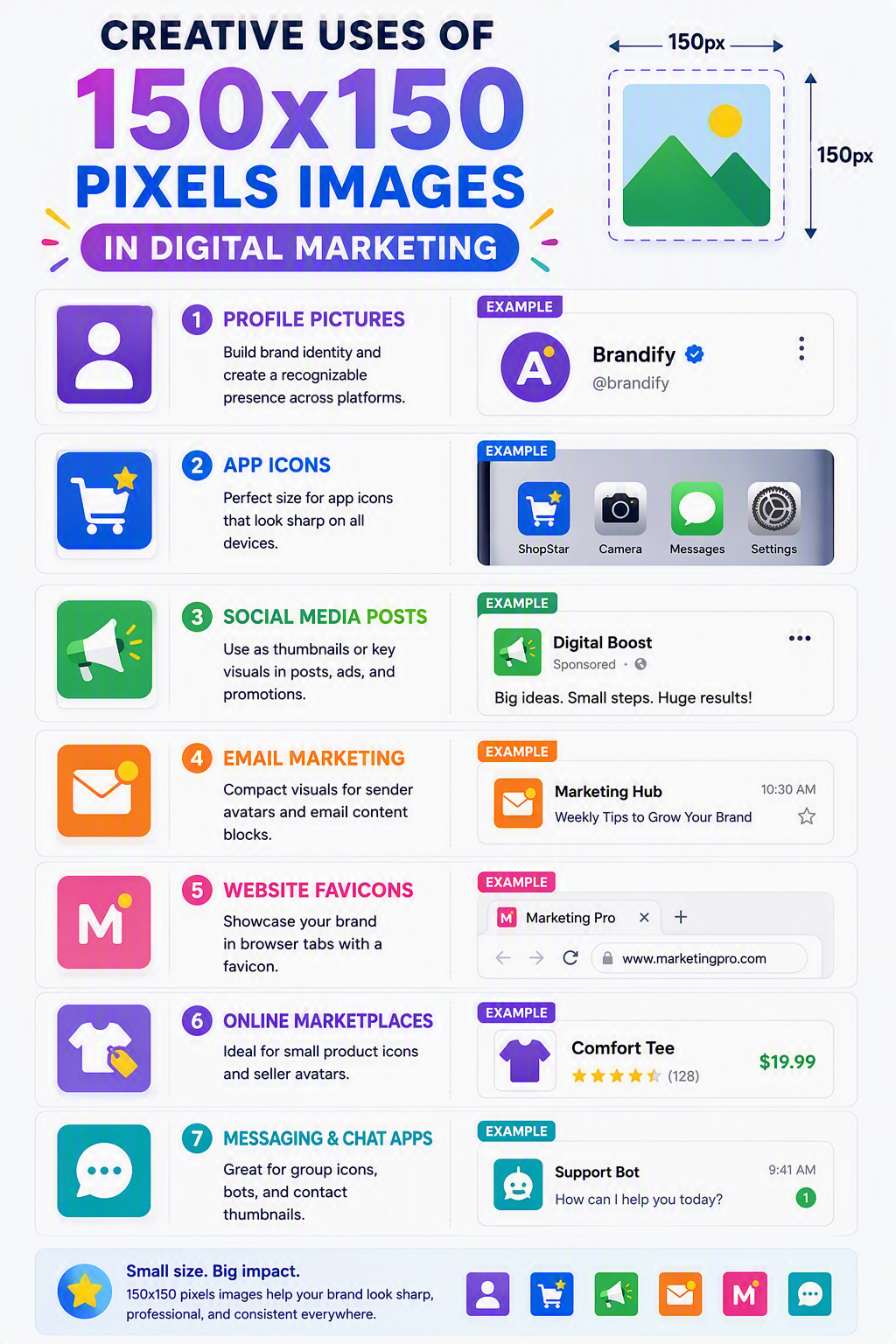
The infographic highlights common applications for 150 × 150 pixel images.
Frequently Asked Questions
A 150 × 150 pixel image has equal width and height, creating a 1:1 square aspect ratio. It is commonly used for profile pictures, avatars, contact directories, website thumbnails, small logos, icons, and other square digital graphics.
Upload your image; keep the default 150 × 150 pixel size or enter your preferred dimensions; choose the resize mode; adjust DPI or image quality if needed; and download the resized image. You can also crop, rotate, flip, zoom, or lock the aspect ratio before saving.
Lock Aspect Ratio automatically maintains your image's original proportions while resizing. When enabled, changing the width automatically adjusts the height, helping prevent stretching or distortion.
Choose Stretch for exact 150 × 150 dimensions, Crop Fit to fill the square while preserving proportions, or Fixed to keep the entire image visible with optional background padding.
Yes. Reducing an image to 150 × 150 pixels usually preserves good quality. Enlarging a very small image may reduce sharpness because additional pixels need to be created. Using a high-resolution source image produces the best results.
Yes. The final file size depends on the image dimensions, selected image quality, DPI, and output format.
Yes. Portrait, landscape, and square images are all supported. The selected resize mode determines whether the image is cropped, stretched, or fitted within the square.
They are widely used for profile photos, avatars, business directories, employee profiles, contact cards, website thumbnails, logos, icons, application forms, and small product images.
Yes. Many websites, business portals, online communities, and applications accept square profile images, making 150 × 150 pixels a practical choice for clear and consistent profile photos.
Yes. Small square thumbnails improve page consistency, load quickly, and work well in galleries, blogs, search results, and product listings.
Yes, but enlarging a low-resolution image may reduce sharpness or introduce pixelation, although starting with a high-resolution image always produces better results.
Use JPG for photographs, PNG for logos or transparent graphics, WEBP for optimized web images, and GIF for simple animations.
Yes, but only at a very small physical size. At 300 DPI, a 150 × 150 pixel image prints at approximately 0.5 × 0.5 inches, making it suitable for labels, small icons, or compact graphics.
Yes. The tool works on smartphones, tablets, laptops, and desktop computers directly through your browser.
Yes. After creating a 150 × 150 pixel image, you can resize it again by entering any custom width, height, or measurement unit required for websites, forms, printing, or other projects.
Over 500k Users Rely on Our Image Editing Tools Monthly
Join a growing community of creators who trust safeimagekit.com for versatile image editing and processing solutions.