

Instantly create perfectly square 450 × 450 pixel images without manually adjusting width and height. The tool automatically applies the selected dimensions, helping you prepare profile photos, product thumbnails, logos, digital graphics, and other square images with consistent sizing in just a few clicks.
Not every image starts as a square, so the tool offers multiple resize modes for different needs. Use Stretch for exact 450 × 450 dimensions, Crop Fit to fill the square while maintaining proportions, or Fixed to keep the entire image visible by adding background padding. This gives you complete control over how your image appears.
Customize both the DPI and image quality before downloading. Lower DPI values are ideal for websites and digital sharing, while higher values provide sharper printed results. You can also balance image clarity and file size using the quality settings to suit your project.
Although this page focuses on 450 × 450 pixels, you can also resize images using pixels, inches, centimeters, or millimeters. Switching between measurement units makes it easy to prepare images for websites, printing, forms, and design projects without additional conversion tools.
Make quick adjustments without opening another editor. Rotate images 90 degrees to the right or left, flip images, crop unwanted areas, zoom into important subjects, or apply a square shape before downloading. These built-in editing options help you achieve the exact appearance you want.
Once resizing is complete, download your image as JPG, JPEG, PNG, WEBP, or GIF. Whether you're uploading profile pictures, creating product images, sharing graphics online, or preparing digital artwork, choosing the right format helps maintain compatibility and image quality.
Other useful information
Explore our visual guides and infographics
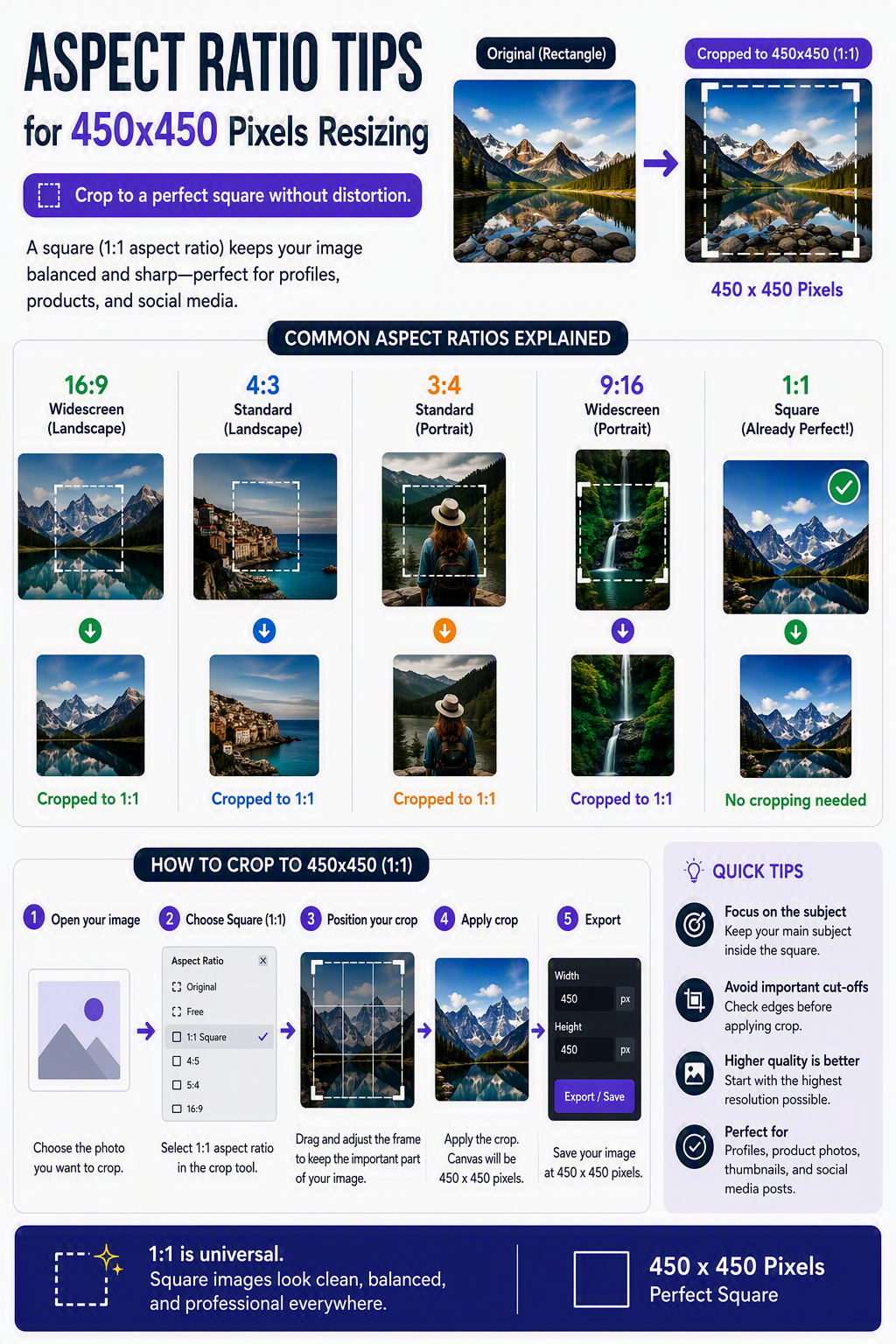
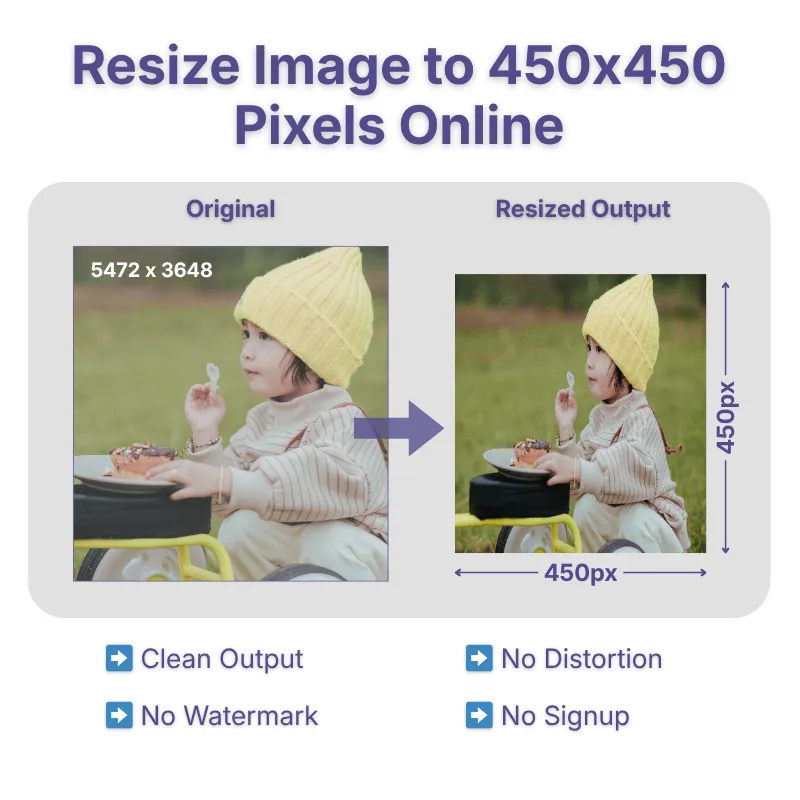
The infographic shares tips for maintaining a 1:1 aspect ratio when resizing images to 450×450 pixels.
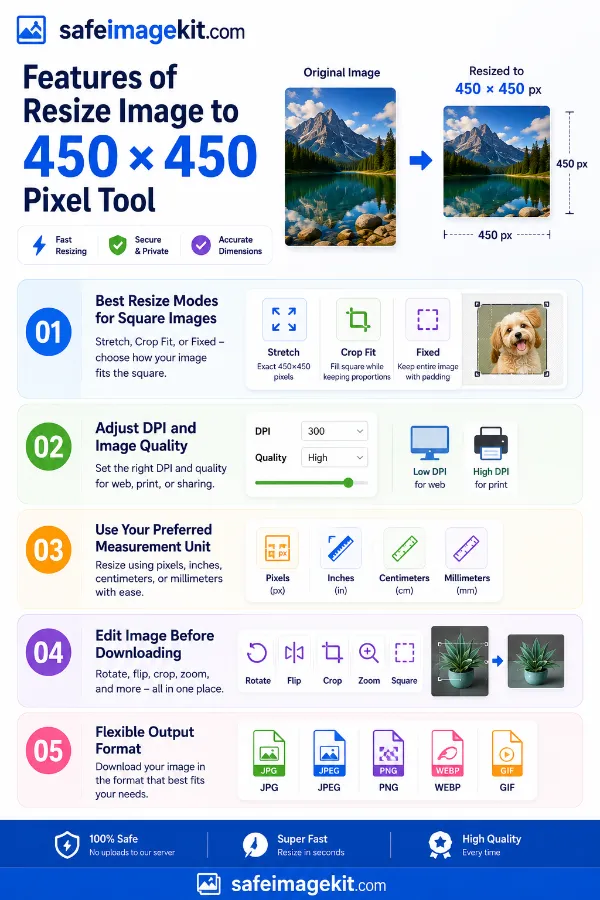
The infographic covers the main features for creating images at 450×450 pixels.
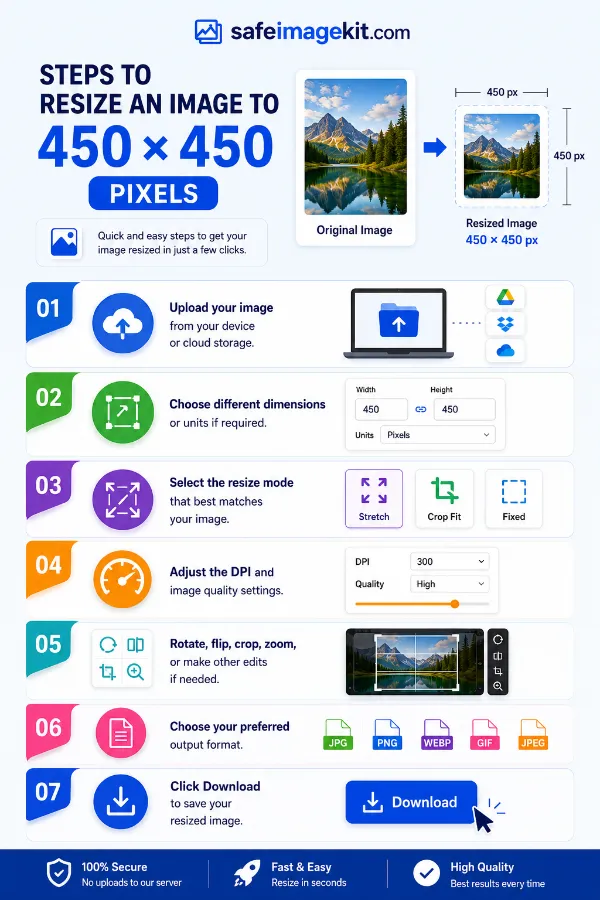
He infographic shows the steps for creating a 450×450 pixel image.
Frequently Asked Questions
A 450 × 450 pixel image has equal width and height, creating a 1:1 square aspect ratio. This size is commonly used for profile pictures, avatars, product images, logos, app icons, thumbnails, and other square layouts.
Upload your image, select 450 × 450 pixels as the output size or enter custom dimensions if needed, choose the resize mode, and adjust the DPI and image quality if required, then download your resized image. You can also crop, rotate, flip, or zoom before saving.
Yes. Reducing an image to 450 × 450 pixels generally preserves good quality. Enlarging a small image may reduce sharpness because additional pixels must be created. For the best results, begin with a high-resolution image.
Choose the resize mode based on your needs. Stretch – Resizes the image to exactly 450 × 450 pixels. Crop Fit – Preserves the aspect ratio while filling the square frame. Fixed – Keeps the entire image visible by adding background padding when necessary.
Not always. If you choose Crop Fit, some edges may be trimmed to completely fill the 450 × 450 pixel square. If you want to preserve the entire image, choose Fixed mode.
Yes. The final file size depends on the new image dimensions, selected quality, DPI, and output format.
Yes. The tool works on smartphones, tablets, laptops, and desktop computers without installing software.
Yes. You can resize images to 450 × 450 pixels for free without creating an account. Images are processed securely in your browser and are not sold or shared with third parties.
450 × 450 pixels is commonly used for profile photos, avatars, business directories, e-commerce product thumbnails, website images, portfolio pictures, app icons, and square social media graphics. Its 1:1 aspect ratio provides a clean and consistent appearance across different platforms.
A 450 × 450 pixel image has a 1:1 aspect ratio, meaning the width and height are exactly the same. Square images are ideal for profile pictures, logos, icons, and product listings.
Yes. Both portrait and landscape images can be resized to 450 × 450 pixels. Depending on the selected resize mode, the image can be cropped, stretched, or fitted with background padding.
Yes. Many websites, online communities, business directories, and applications use square profile images. A 450 × 450 pixel image provides a clear and balanced profile picture for most digital platforms.
Yes. Square product images help create a consistent appearance across online stores, catalogs, and marketplaces. 450 × 450 pixels is suitable for product thumbnails, preview images, and inventory displays.
Yes, but enlarging a low-resolution image may reduce sharpness. Using a high-quality original image produces better results.
Yes. Because it uses a 1:1 square format, 450 × 450 pixels works well for logos, app icons, business branding, and digital graphics that require equal width and height.
Yes. The final image will always be 450 × 450 pixels, but how it becomes square depends on the resize mode you choose. "Stretch" changes the proportions, "Crop Fit" fills the square by trimming the edges if necessary, and "Fixed" keeps the entire image visible by adding background padding.
Yes. Portrait, landscape, and square images can all be resized to 450 × 450 pixels. The resize mode you choose determines whether the image is stretched, cropped, or fitted with background padding to create the final square image.
Choose JPG for photographs, PNG for graphics with transparency, WEBP for smaller web-friendly files, and GIF for simple animated images. Selecting the right format helps improve compatibility and image quality for your intended use.
Yes. A 450 × 450 pixel image can be printed, but the maximum print size depends on the selected DPI. At 300 DPI, it prints at approximately 1.5 × 1.5 inches, making it suitable for labels, stickers, small graphics, and identification photos. Larger prints are possible at lower DPI values, although image sharpness may decrease.
Many websites, online stores, forms, templates, and digital platforms require images with fixed square dimensions. Resizing to 450 × 450 pixels helps meet upload requirements while avoiding unexpected stretching or cropping.
Profile photos, business logos, product images, digital illustrations, avatars, icons, QR codes, and square promotional graphics all display well at 450 × 450 pixels.
If your resized image is still too large for uploading or sharing, use our Compress Image tool to reduce the file size while maintaining good visual quality.
If you need to know the physical print size of a 450 × 450 pixel image, use our Pixels to Inches converter. Simply enter the pixel dimensions and your preferred DPI to calculate the corresponding print size.
Over 500k Users Rely on Our Image Editing Tools Monthly
Join a growing community of creators who trust safeimagekit.com for versatile image editing and processing solutions.